AI in HR that gives you and your business 

the answers you need

With AI in HR from Heartpace, AI Companion answers routine questions from your staff handbook and policies, AI Meeting Recorder turns employee conversations into a basis for follow-up, and MCP Connect lets you ask questions of your HR data from AI tools such as Claude and ChatGPT. It gives you more time for analysis and development, and gives the organisation a transparent basis for confident decisions.

Heartpace screenshot of AI Companion answering a question with a source link

Trusted by 1,000+ companies using Heartpace HR.

How AI in Heartpace changes everyday HR work

Routine questions get answers straight away.

Managers and employees get direct answers from the staff handbook, your policies, and other documents HR has added, with a link to the source. That lets HR spend its time on questions that call for deeper thought.

Employee conversations become a basis for follow-up.

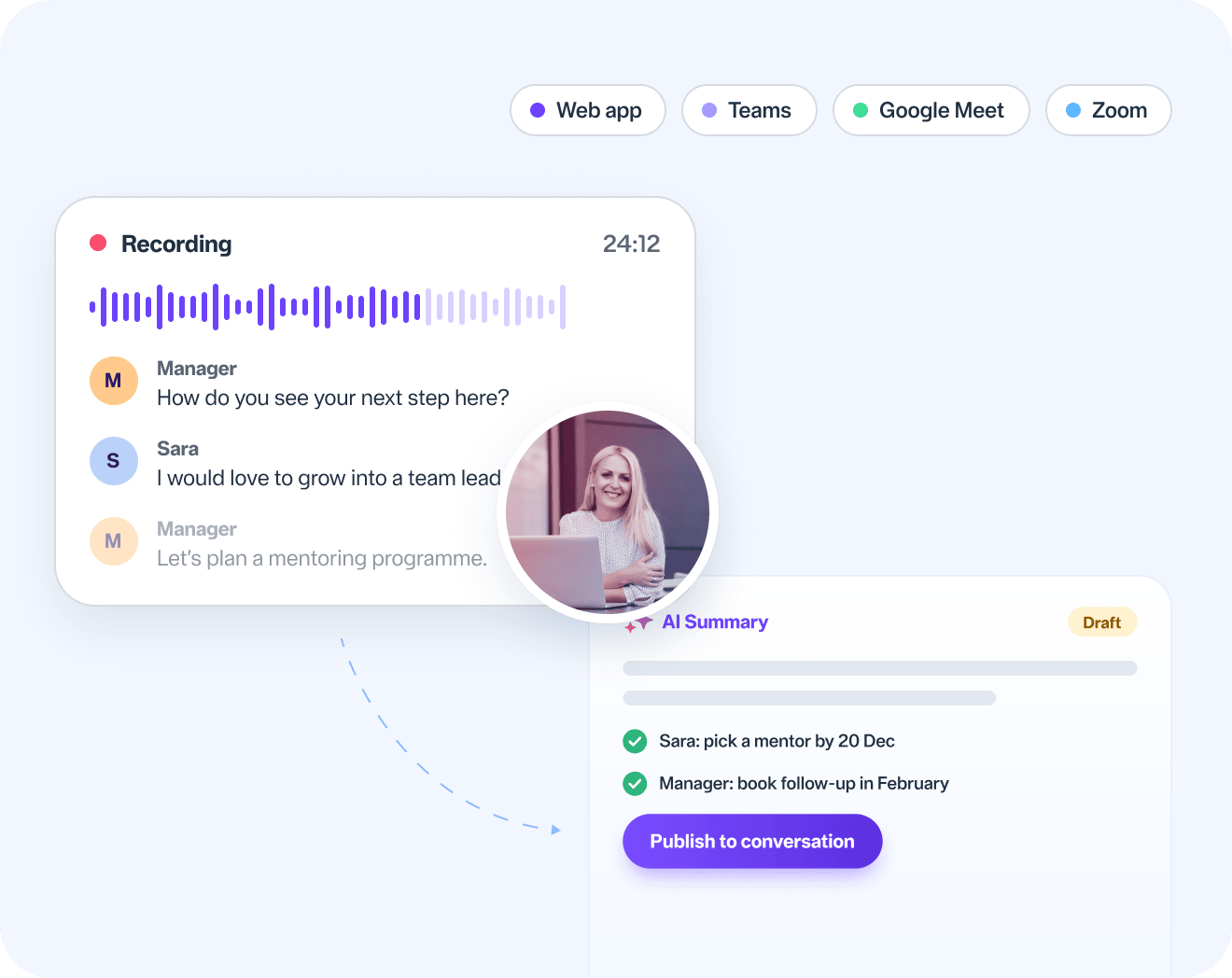
AI Meeting Recorder records, transcribes, and summarises meetings. The summary can then be published seamlessly on the right employee conversation in Heartpace as a basis for follow-up.

A recorded employee conversation with an AI summary ready to publish

Business questions are answered from your own data.

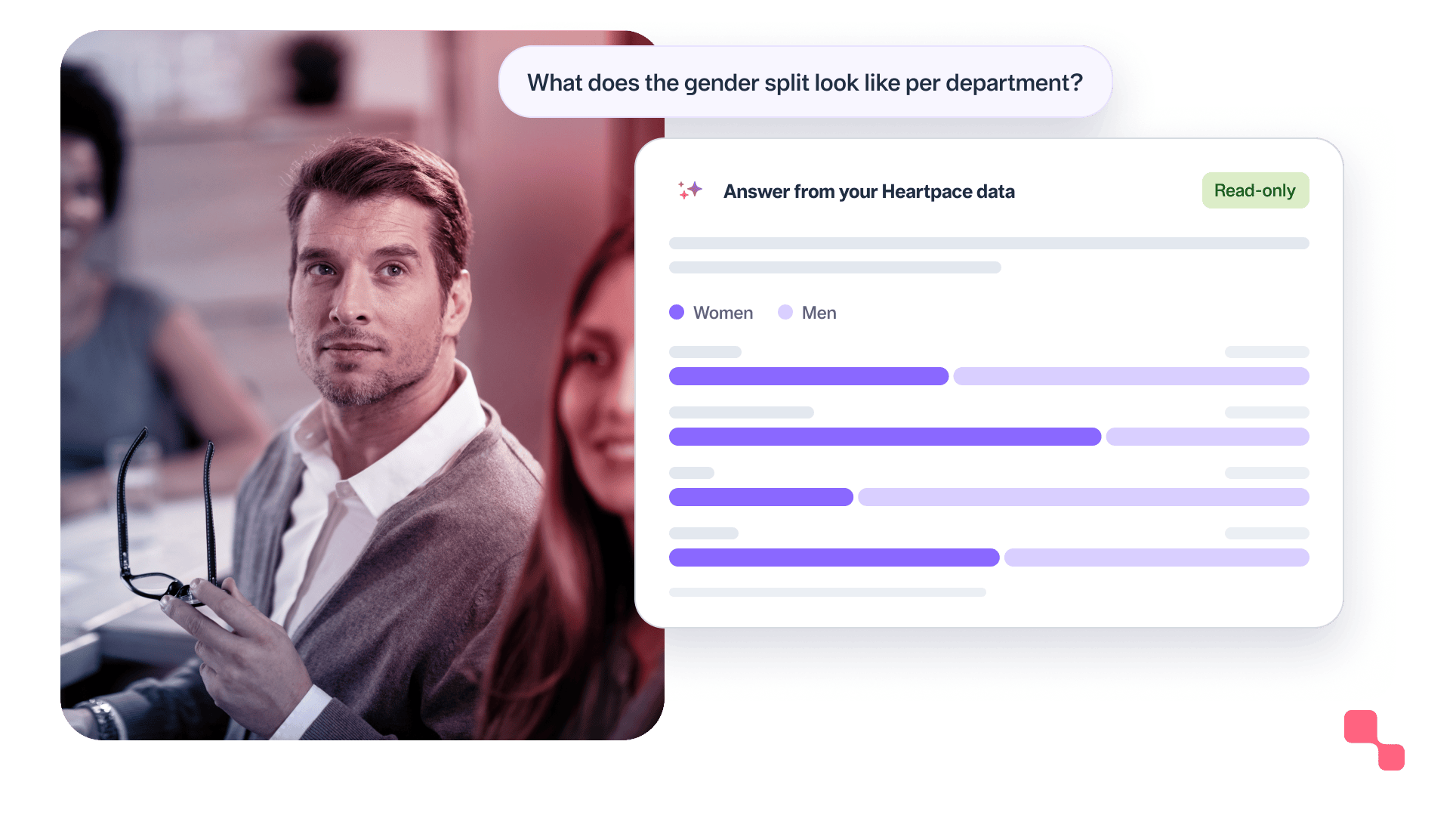
With MCP Connect, you ask Heartpace questions directly from tools such as Claude and ChatGPT. The connection is read-only, which means your data stays completely untouched. Answers are governed by the user’s role and permissions, so nobody gets more insight than they normally have in Heartpace.

Question about the gender split per department answered from Heartpace data

You stay in control of how it is used.

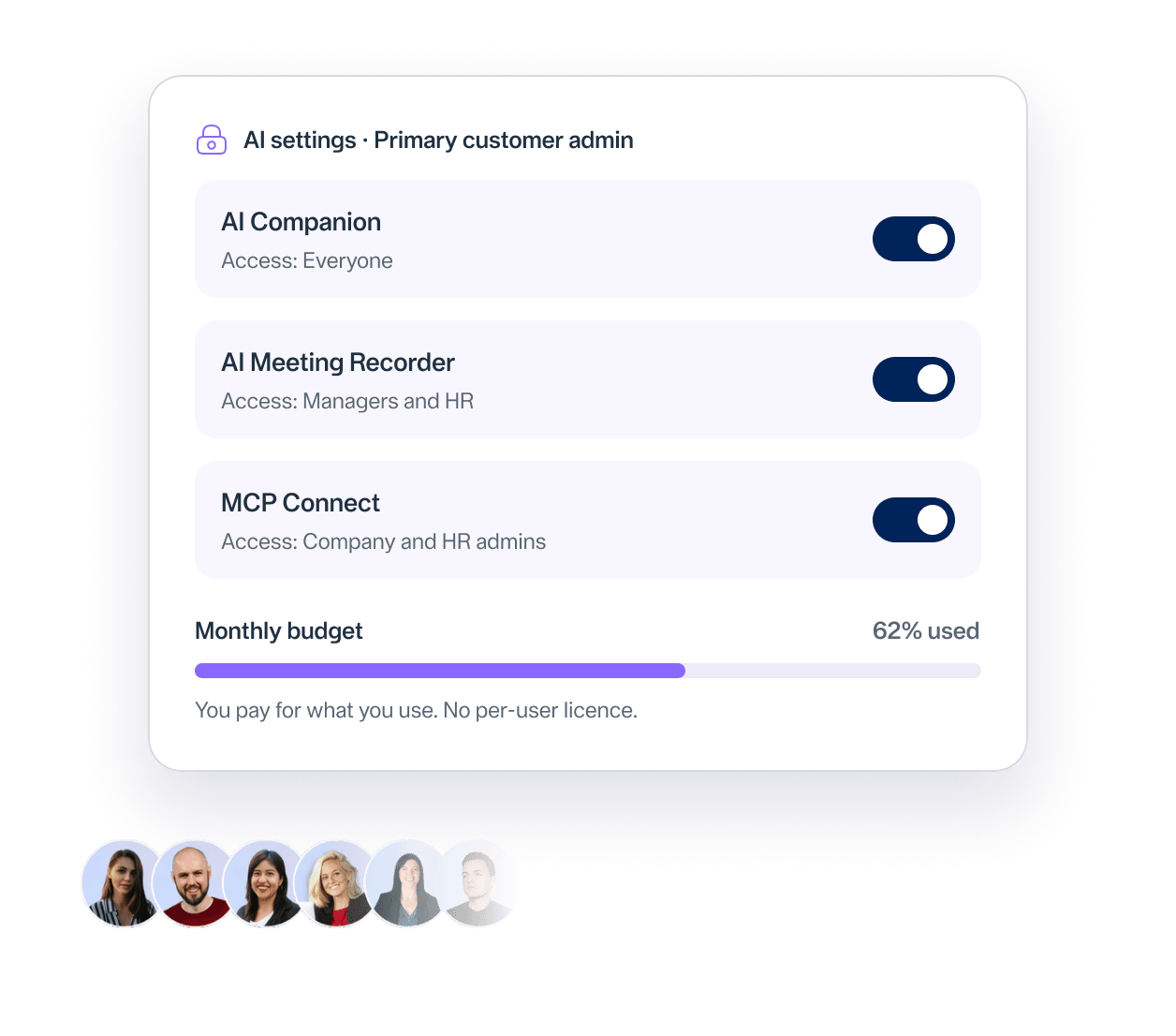
Your primary customer administrator decides who can use the features and sets a monthly budget. Assessments and decisions stay with HR and managers.

AI settings with access per feature and a monthly budget

What do you want to use AI for?

Answers from your own rules with AI Companion

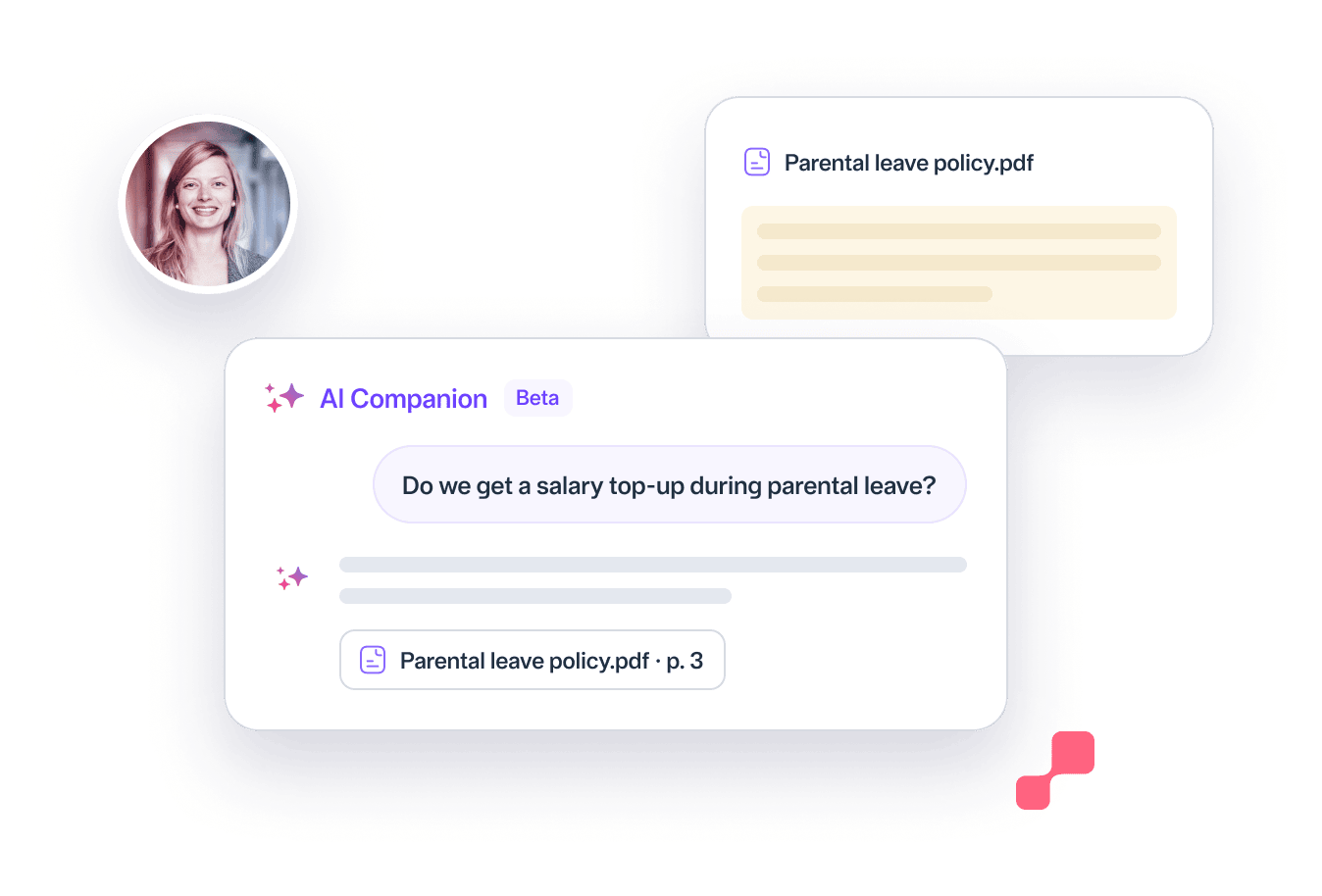
AI Companion answers questions from HR, managers, and employees using the staff handbook, policies, and other documents HR has uploaded. The answers build on what already applies at your organisation and follow the user’s role in Heartpace, so nobody sees more than they are permitted to see. Every answer links to its source.

AI Companion answering a question with a link to the parental leave policy

Employee conversations that become a basis with AI Meeting Recorder

Focus on the conversation instead of the notes. AI Meeting Recorder is available as both a web app and a desktop app. The web app records through your computer’s microphone, while the desktop app records meetings in Teams, Google Meet, and Zoom. When you start, you simply choose which employee conversation the recording belongs to. The meeting is transcribed and summarised automatically, after which the manager reviews the summary and publishes it directly on the conversation.

AI Meeting Recorder: recording, transcript and AI summary

Find answers in your HR data with MCP Connect

MCP is an open standard that lets AI tools retrieve information from other systems.

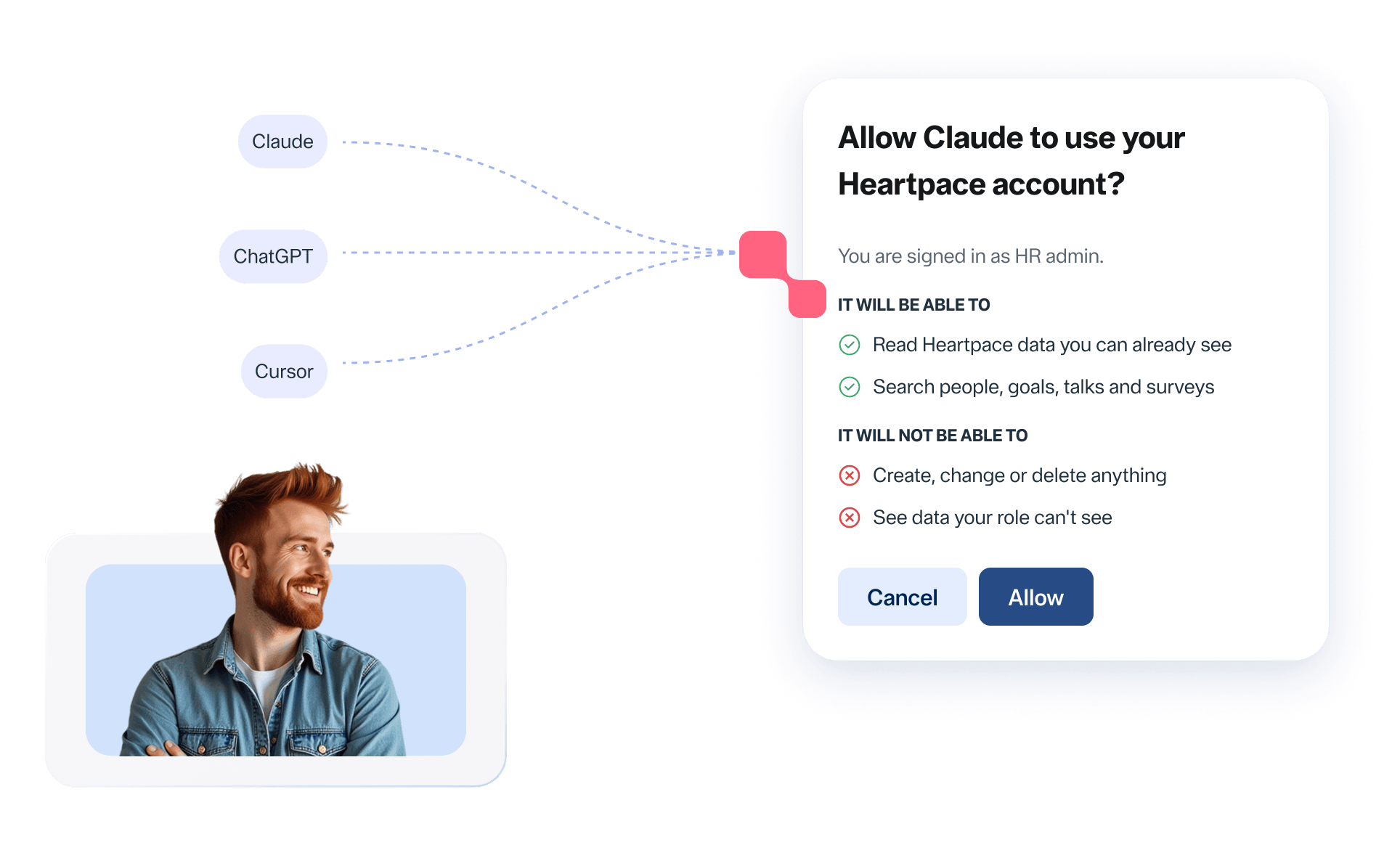
With MCP Connect, you connect external tools such as Claude, ChatGPT, or Cursor to Heartpace and ask direct questions about, for example, data quality, onboarding, survey results, OKRs, salary reviews, and pay mapping.

Claude, ChatGPT and Cursor connected to Heartpace and your HR data

You could ask, for example:

  • “How has staff turnover developed over the past year?”
  • “What does the gender split look like per department?”
  • “What did the latest employee survey show?”

The connection is strictly read-only.

The AI tool can retrieve material but can never create, change, or delete anything in Heartpace.

Permission dialog: what the AI tool will and will not be able to do

Answers are automatically limited by the user’s permissions.

So nobody sees more than they already have access to in Heartpace.

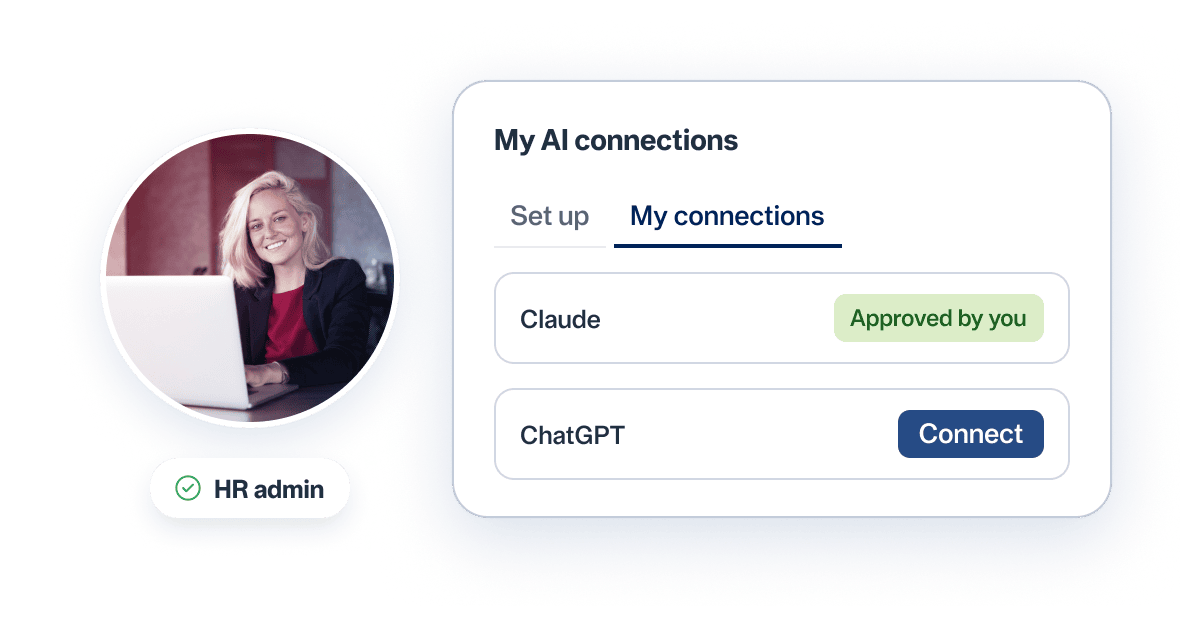
  • Today, MCP Connect is for company admins and HR admins.
  • Each user approves their own connection.
  • To connect Claude or ChatGPT, you usually need a paid plan with the tool’s provider.
My AI connections: Claude approved, ChatGPT ready to connect
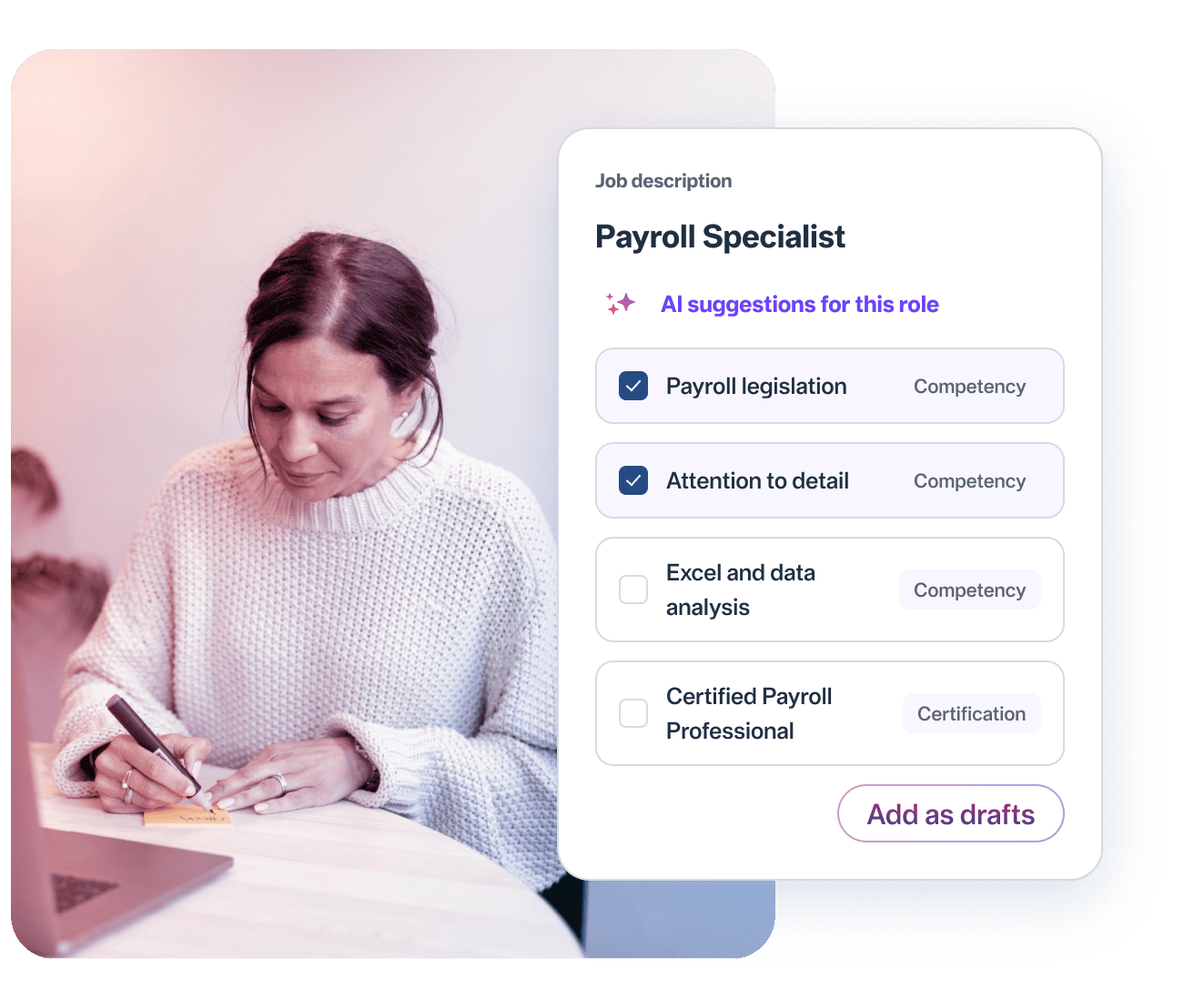
AI suggestions for the Payroll Specialist role

Let AI suggest competencies in Job Architecture

When you create or update a job description, AI suggests relevant competencies and certifications for the role. Your administrator keeps full control and simply chooses which suggestions are added as drafts to the role’s competency profile.

AI is part of a bigger picture

Numbers without context give no answers: you can see your key figures but not whether they are good or bad relative to your industry.

Heartpace is more than an HR system. We give your data a clear frame of reference through 30 years of verified industry data from Heartpace Nyckeltalsinstitut and access to experienced HR specialists to think decisions through with.

That gives you a basis for decisions that can be defended in both the leadership team and the boardroom. AI in Heartpace is an integrated part of that whole.

The industry data is gathered in People Analytics.

30 years of verified industry data, your HR specialist and AI features together

Frequently asked questions about AI in Heartpace

What is AI used for in Heartpace?

AI is part of several functions in the platform. AI Companion answers questions from the staff handbook and policies, AI Meeting Recorder records, transcribes, and summarises meetings, and MCP Connect lets you ask questions of your HR data from AI tools such as Claude and ChatGPT. AI also suggests competencies and certifications when you create job descriptions in Job Architecture.

Who can ask questions and use the features?

Your primary customer administrator decides. The features can be opened to everyone, limited to managers and HR, or given to selected groups. Every answer follows the user’s role in Heartpace. The exception is MCP Connect, which today can be used by company admins and HR admins.

Can all organisations use AI in Heartpace?

The AI features are currently offered only to private organisations.

Does AI replace HR’s judgement?

No. AI provides answers, analyses, transcripts, and summaries as a basis. The assessments, the decisions, and the personal contact stay with HR and managers.

How is consent handled when a meeting is recorded?

Whoever starts the recording confirms that all participants have been informed. Heartpace stores a log of that confirmation, and you decide how long recordings and transcripts are kept.

Where does the data go when we use MCP Connect?

Your data is stored in Heartpace. When you ask a question, the information needed to answer it is sent to the provider of the AI tool you have connected. How that provider handles it is governed by your agreement with them. The connection is read-only, and everyone sees only what they have permission to see.

Is our data secure in Heartpace?

Yes. Heartpace is certified to ISO/IEC 27001:2022, the international standard for information security management. Data is encrypted in transit and at rest and hosted on AWS in Stockholm. Access is role-based with full audit trails, and we sign a Data Processing Agreement with every client. Read more about security at Heartpace.

How do we get started?

Book a demo using the form below and we will go through the features and what suits your organisation. After that, the features are activated for your organisation, and your primary customer administrator chooses who can use them. You pay for what you use and set your own monthly budget. No per-seat licence is needed.

Want to see how Heartpace works?

Fill in your information and we will contact you shortly


    Privacy policy and Terms of use